Pipe condition surveys for properties and water networks
The AI goes through the CCTV inspection video and suggests observations with metre readings. A person confirms every one, and the report is made from the confirmed data.
Properties: free 14-day trial. Networks: priced by quote.
Pipelytica in short, on video
Short tours in Finnish and English, with subtitles: building pipe networks and water utility networks, results and reports.
Two products, one foundation
Properties is made for building sewer and drain surveys, Networks for utilities’ sewer and stormwater networks. Both use the same video analysis and the same way of reviewing observations.
Properties
For CCTV contractors, property managers and property owners
Sewer and drain surveys of a building. The AI suggests findings with metre marks, the inspector confirms them, and the PDF report and 3D pipe model are made in the same service.
- Video analysis and inspector review
- PDF reports, share links and a customer portal
- 3D editor with true-size pipe parts
Networks
For water utilities and their CCTV contractors
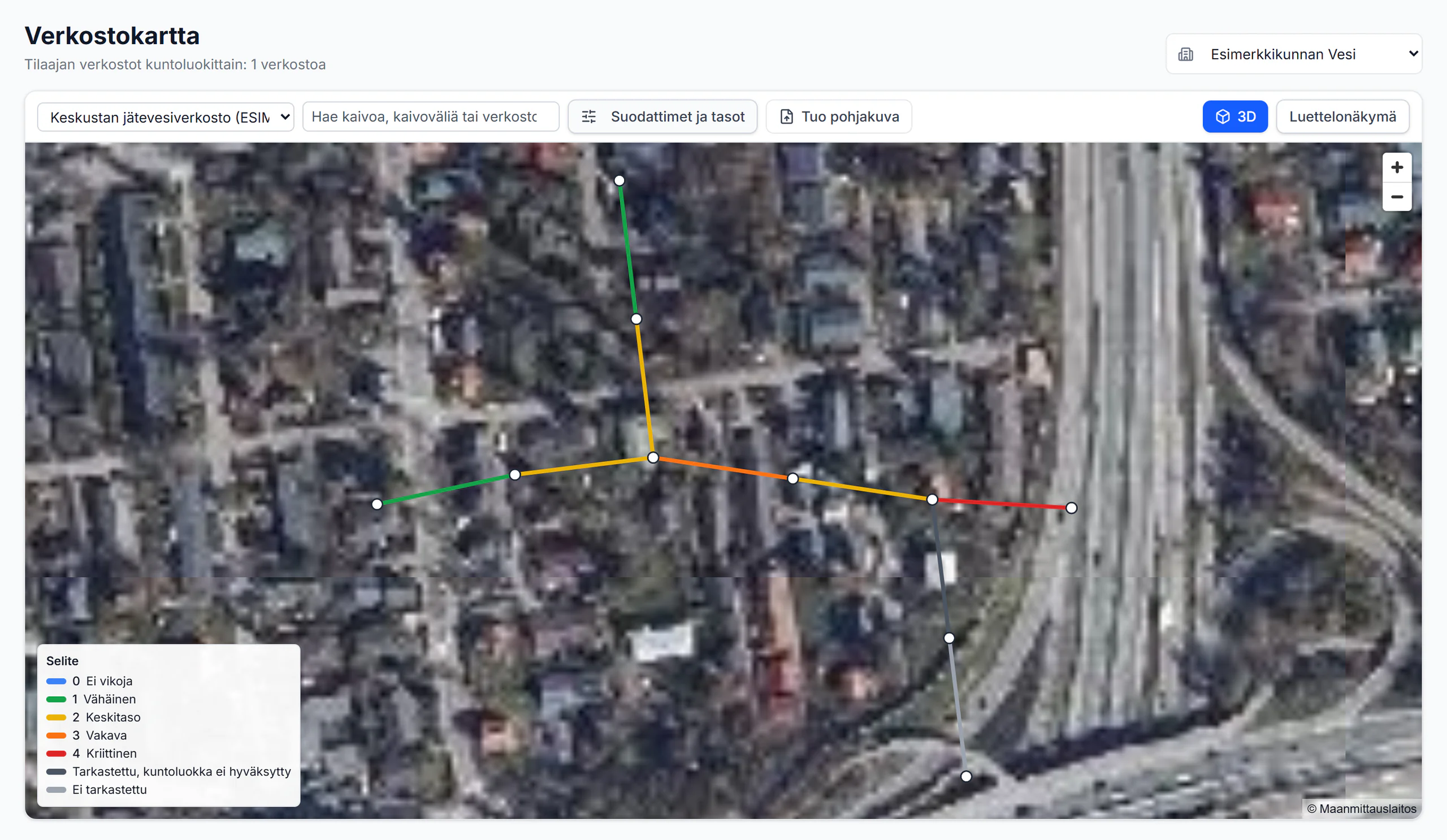
Condition surveys of wastewater and stormwater networks, one section at a time: register import, CCTV inspections, condition classes approved by people, manhole cards and delivery to the utility.
- Register import and sections
- Condition classes, critical findings and manhole cards
- Delivery to the owner by link
How it works
Three steps of each product. The full flow with screens is on the product page.
Networks
Register and order
The utility’s register is imported, and the order scopes the work in sections.
CCTV review and condition classes
Video and long section on one chainage; the AI suggests, a person approves the class.
Delivery and renovation programme
A readiness check before delivery; sections into a yearly programme on your own prices.
Properties
Video in
The inspection form is prefilled from the video text.
The AI suggests, the inspector confirms
Findings with metre readings and codes; every one is confirmed with its still.
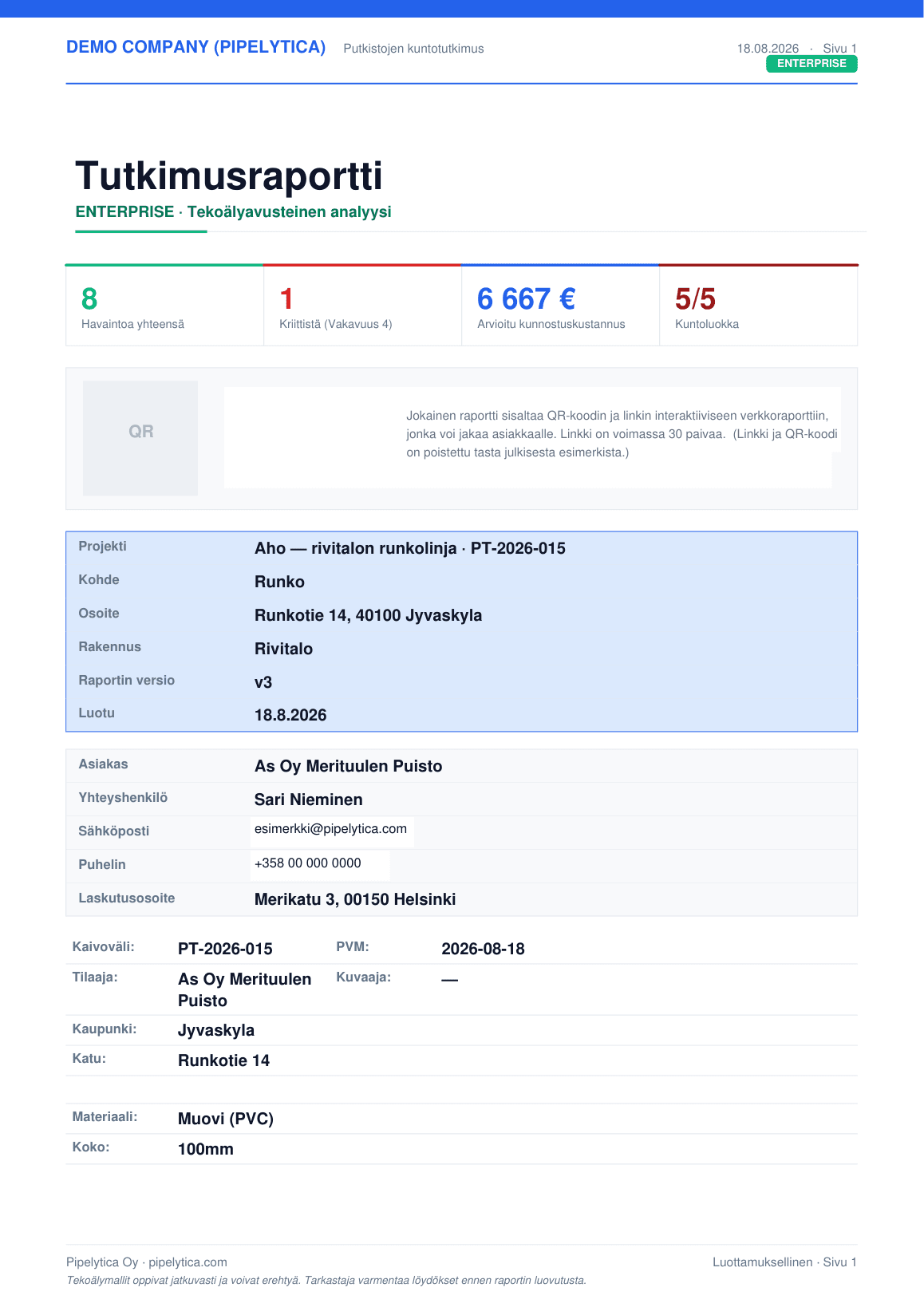
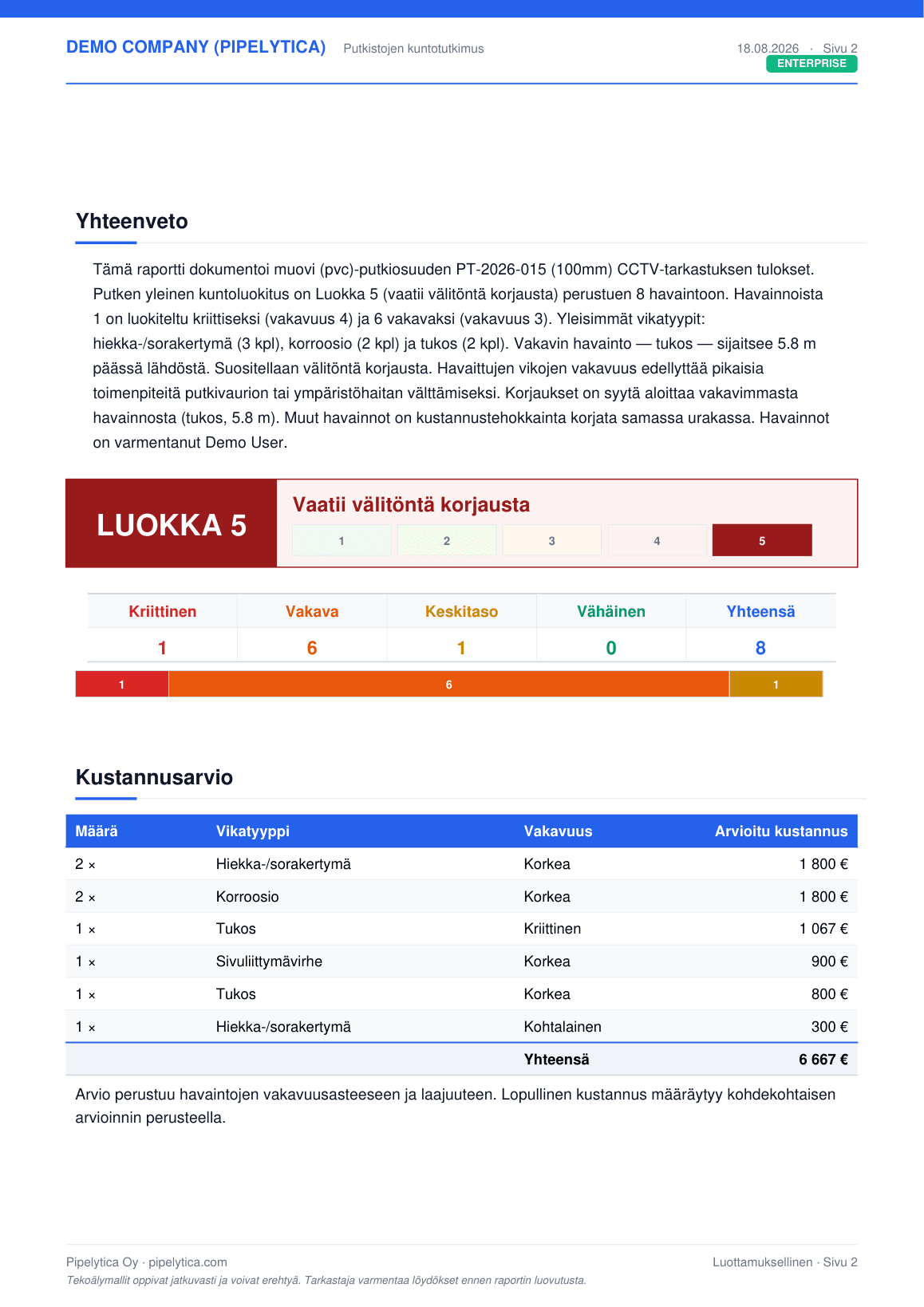
Report and 3D model
A PDF report with condition class and cost estimate; the drains per floor and in 3D.
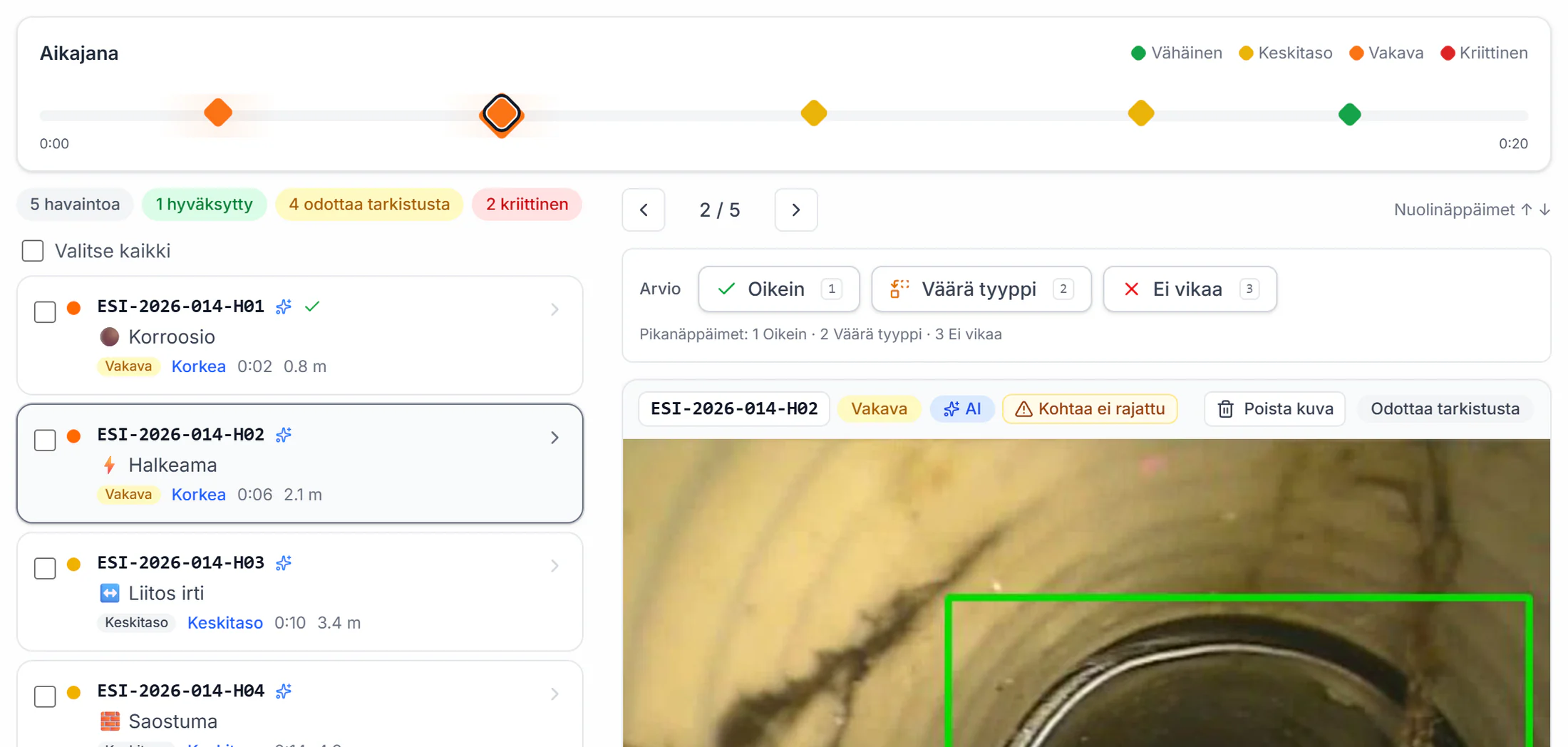
Screens from the service with example data: a fictional utility and network at real coordinates, a fictional housing company. Terrain, orthophoto and buildings are open data of the National Land Survey of Finland and SYKE (CC BY 4.0).
The shared foundation
These work the same way in both products.
- AI analysis of CCTV video
- The AI goes through the inspection video and suggests observations with screenshots. A person reviews every suggestion before the report.
- Who decides: the AI suggests, a person confirms
- Metre reading from the video
- The distance counter burned into the video is read with text recognition, so every observation gets its position in metres.
- Who decides: runs on its own
- EN 13508-2 based codes
- Observations are recorded with codes based on the EN 13508-2 standard, and a person confirms the code.
- Who decides: the AI suggests, a person confirms
- Severity grade 1–4
- The AI suggests a severity grade of 1–4 for every observation, and a person confirms it.
- Who decides: the AI suggests, a person confirms
- Capture-condition detection
- Water, fog, reflections, LED light artefacts and dark frames are recognised so they do not become defect observations. This does not remove every false alarm.
- Who decides: runs on its own
- Analysis queue
- Videos are analysed in a queue that takes turns between companies, and an interrupted analysis returns to the queue on its own.
- Who decides: runs on its own
- Who accepted each finding
- The service records who accepted or rejected each finding and when, and the report shows it. The AI never accepts a finding.
- Who decides: a person
- Model training only with permission
- Approvals, rejections and corrections are stored. They are used to train the AI only if the company administrator has allowed it and the user has given their own permission in the settings. By default there is no permission.
- Who decides: a person
Measured, not promised
The AI is measured on videos the model has never seen, against the inspector’s own marks. The figures are for building inspection videos.
- of observations name the right defect family
- 60%
- 95% confidence interval 51–69%
- of the defects the inspector marked are found
- 69%
- The inspector finds the rest.
- analysis time relative to video length
- 0.7 ×
- a 67-second video in 45 seconds on the production server
- videos the model had never seen
- 34
- Inspector marks as the reference
Measured on 34 videos, 9/2026. How it was measured
From detections to a finished report
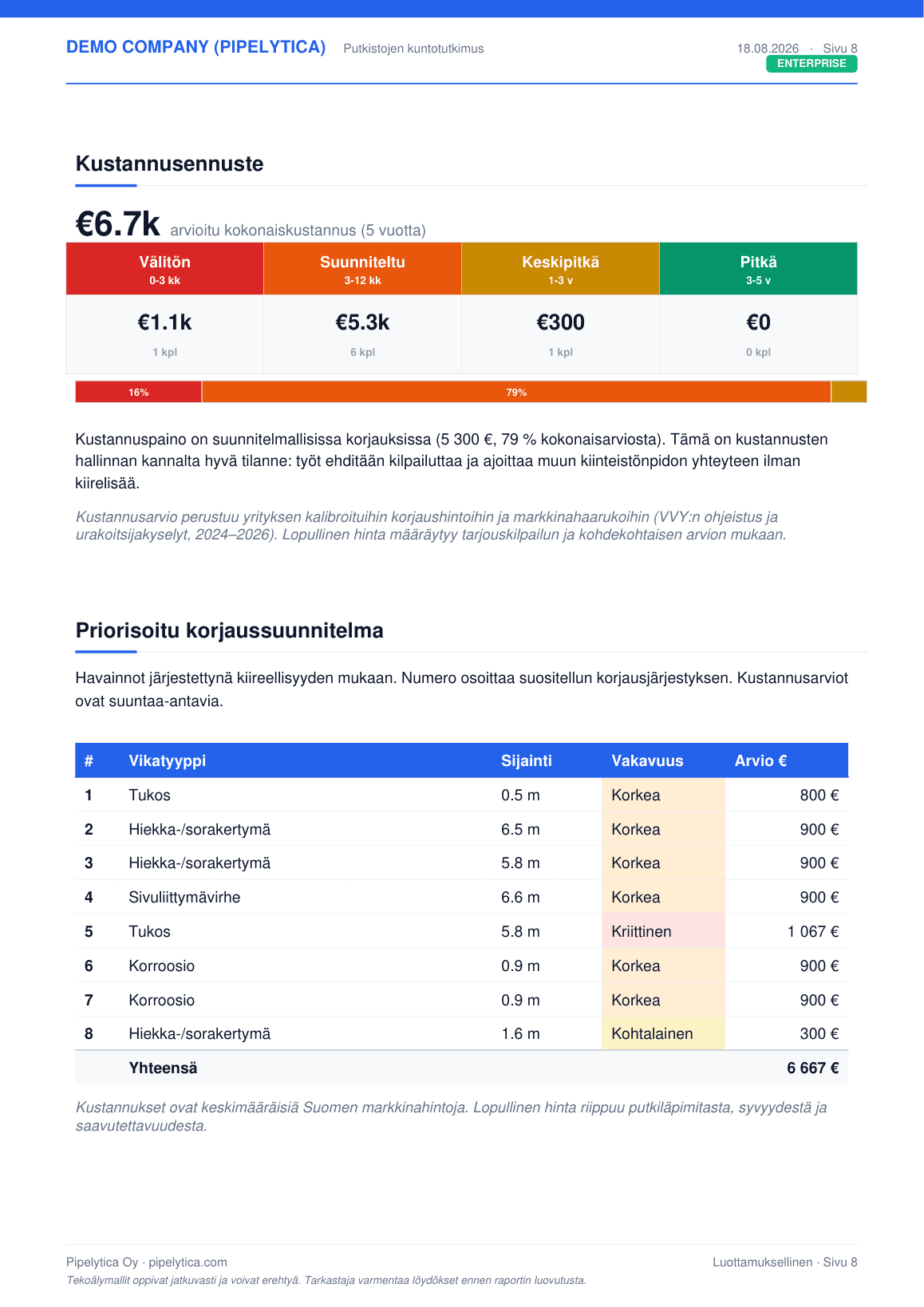
The findings the inspector confirms go straight into the report you send the customer: risk scores, condition class, repair scenarios and a five-year cost forecast. Nothing is typed in twice.
30 pages · PDF
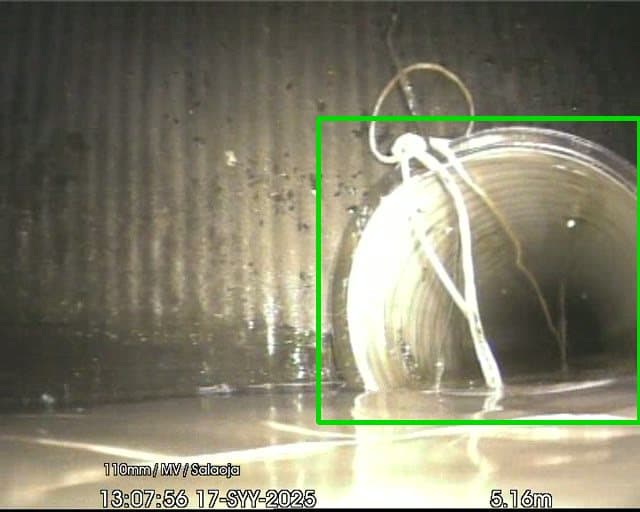
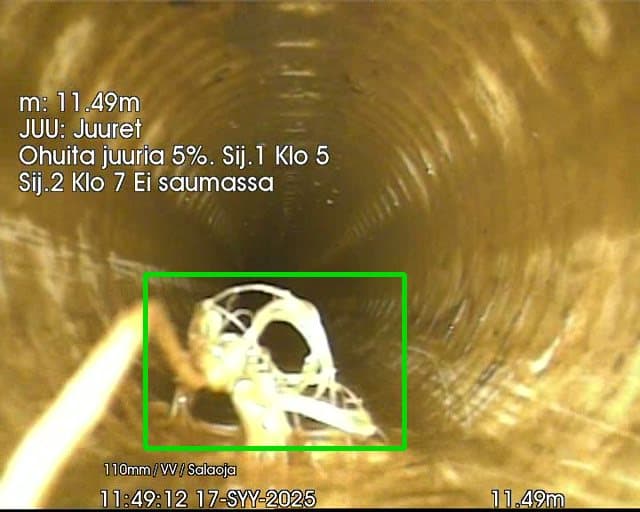
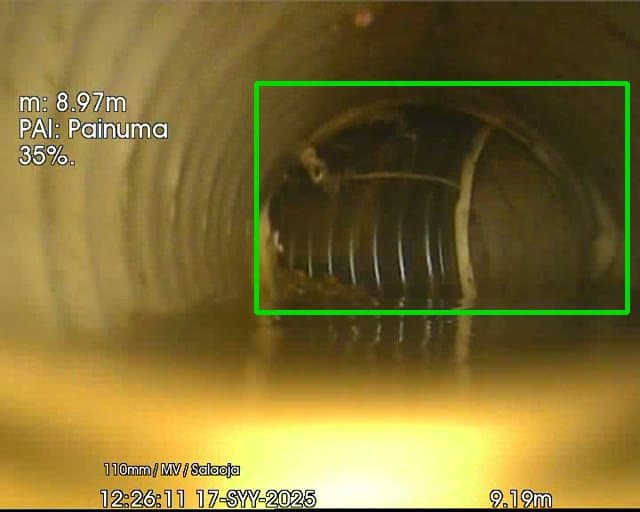
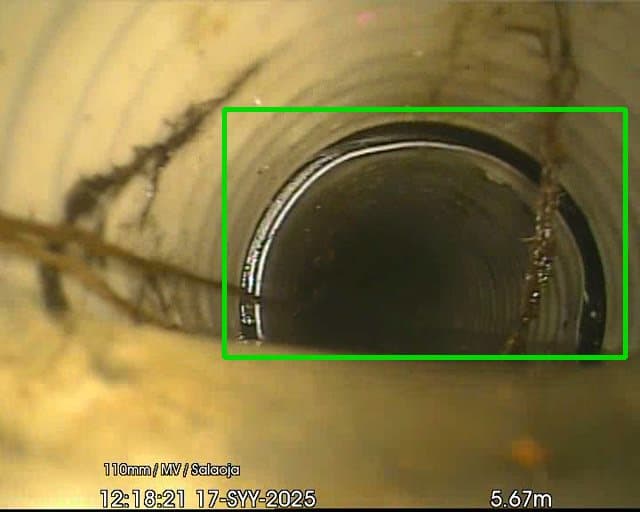
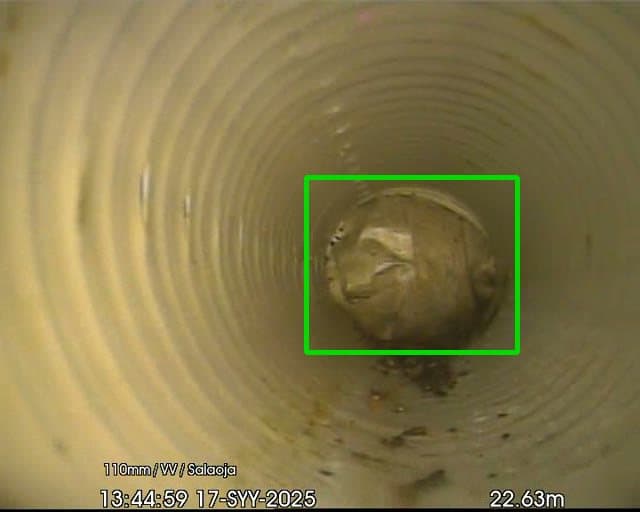
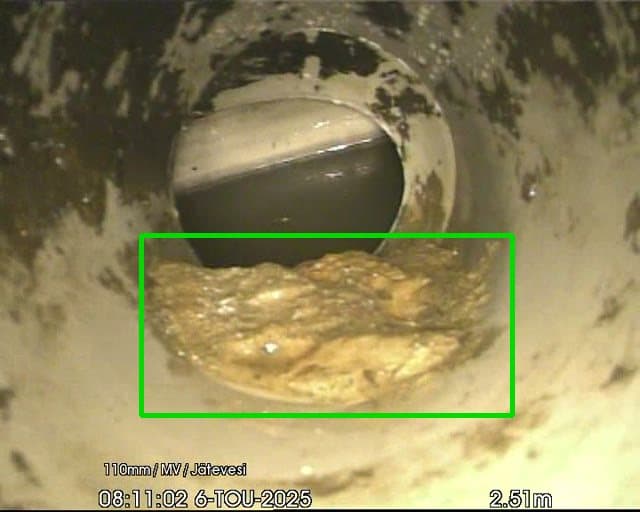
How the AI outlines defects on real videos
The frames come from Finnish sewer inspections. The AI proposes, the inspector confirms.
The whole workflow on video
The same work from start to finish: every step in the real service, chapter by chapter. Pick a chapter and the video starts there.
Properties: the whole workflow
Project, floor plan, pipes, measuring, checks, floors, videos and the report.
Chapters
Networks: the whole workflow
Customer, register, map, inspections, Advice, renovation plan and the portal.
Chapters
Our partners in the field
Pipelytica is built for field work. Our background company Suomen Sorakauppa Oy has done pipe and earthworks since 1982, and its two services sit on either side of Pipelytica in a pipe renovation.
1 · Survey and maintenance
Imuu
Pipe camera surveys, unblocking and heavy vacuuming in Uusimaa, Kanta-Häme and Pirkanmaa. Imuu analyses and reports its pipe surveys with Pipelytica.
imuu.fi2 · Analysis and report
Pipelytica
AI suggests the findings, the inspector confirms them, and the report, condition grades and cost estimate are finished in the same service.
Explore Properties3 · Repair and materials
Hiekkaa.fi
When a pipe is dug open, soil and aggregates for backfill and drainage are delivered to the site.
hiekkaa.fi
Imuu and Hiekkaa.fi are services of Suomen Sorakauppa Oy.
Start with your own video or request a demo
For Properties you can start right away with a free trial. Networks we show you in person.