From a building sewer survey to a finished report
Pipelytica Properties is a service for CCTV contractors, property managers and property owners for analysing and reporting sewer and drain surveys of a building. The AI suggests findings with metre readings and EN 13508-2 based codes, the inspector confirms every one, and the same service produces the PDF report, a repair cost estimate and a 3D pipe model. The basic report is free, and use starts with a 14-day trial.
Upload a CCTV inspection video. The AI suggests observations with metre readings, the inspector confirms them, and the same service produces the PDF report, a 3D pipe model and a repair cost estimate.
In use. Free 14-day trial, no credit card.
What Properties looks like
Screens from the service with example data: a fictional utility and network at real coordinates, a fictional housing company. Terrain, orthophoto and buildings are open data of the National Land Survey of Finland and SYKE (CC BY 4.0).
How it works
From video to report, in the order the work proceeds. Every step is a screen from the service.
Video in
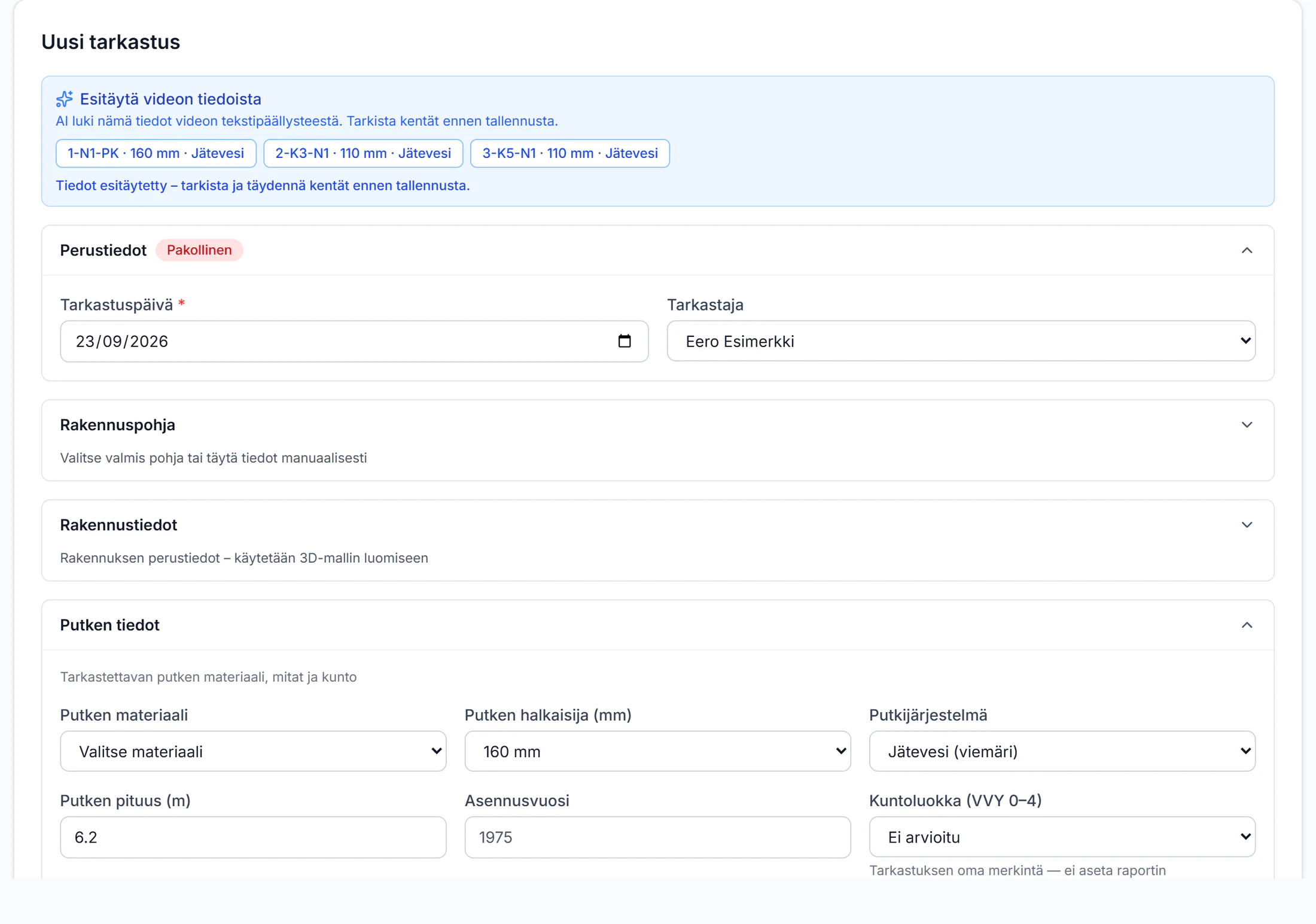
Upload the CCTV video. The AI reads the manhole span, diameter, pipe system, date and length from the video’s overlay text to prefill the inspection form; the inspector checks before saving.
AI findings
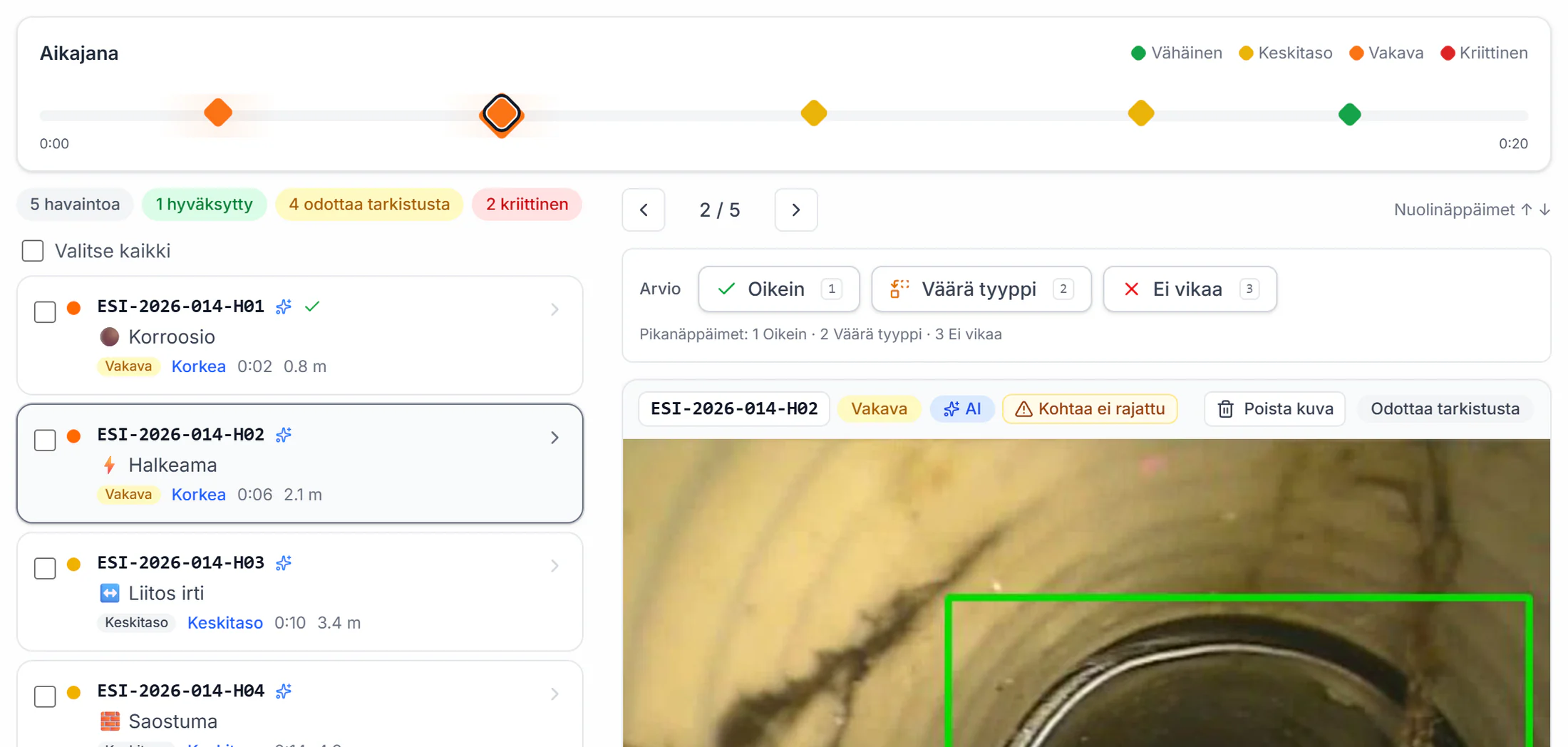
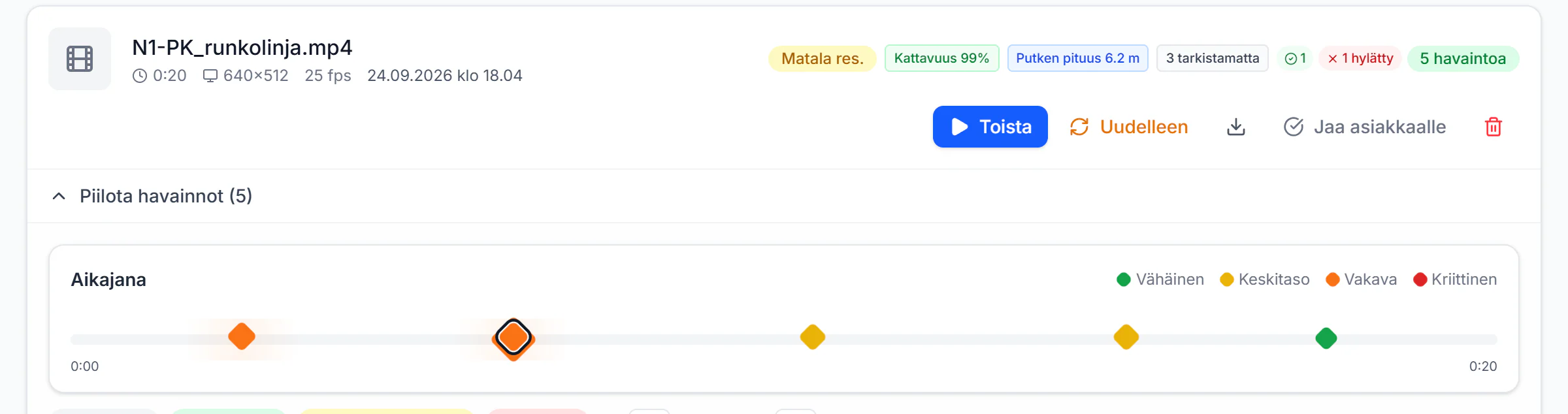
Findings on the video timeline with metre readings, severities and EN 13508-2 based codes. Coverage and pipe length sit on the same card.
The inspector confirms
Every suggestion is reviewed with its still: Correct, Wrong type or No defect. Only a confirmed finding reaches the report.
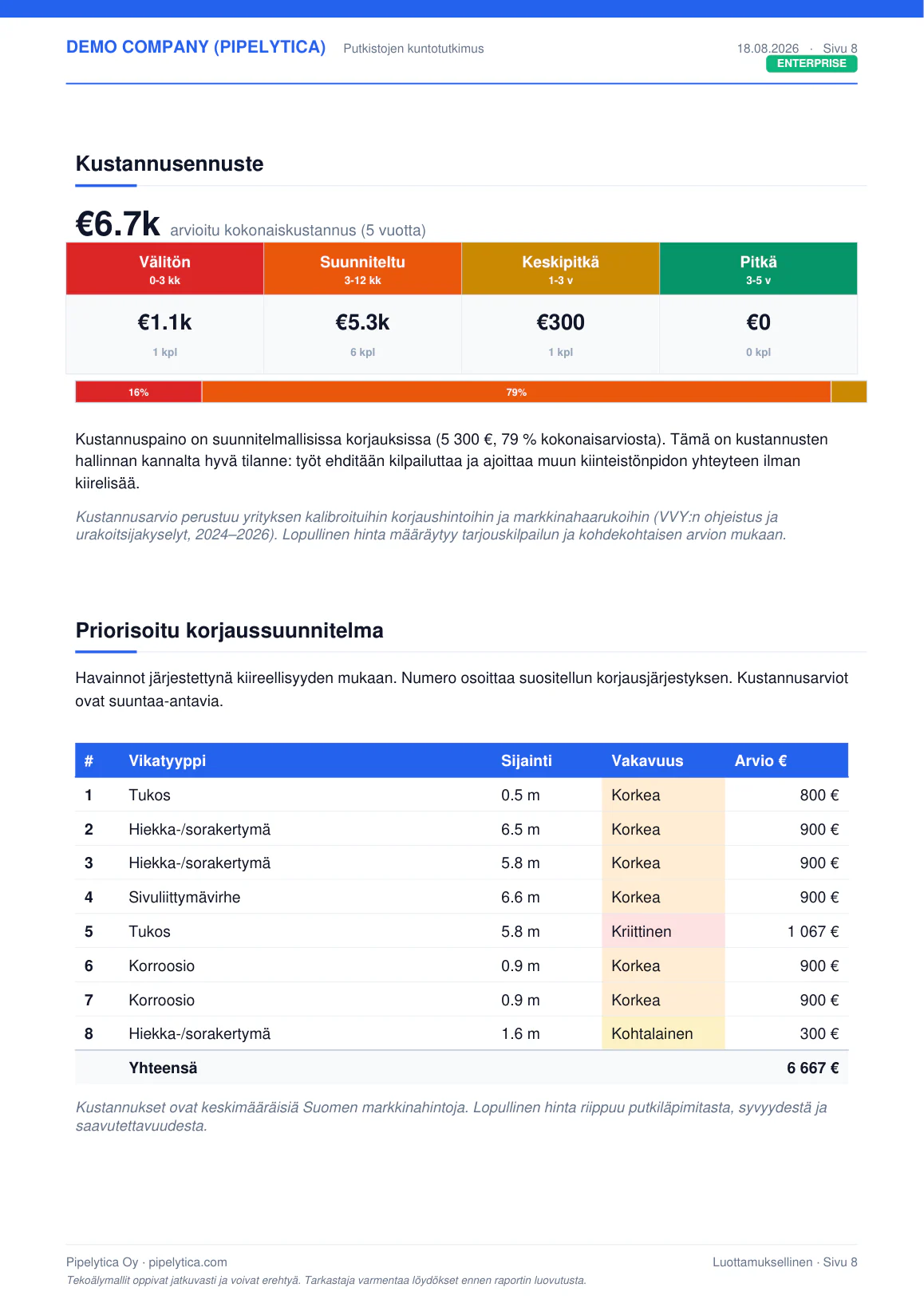
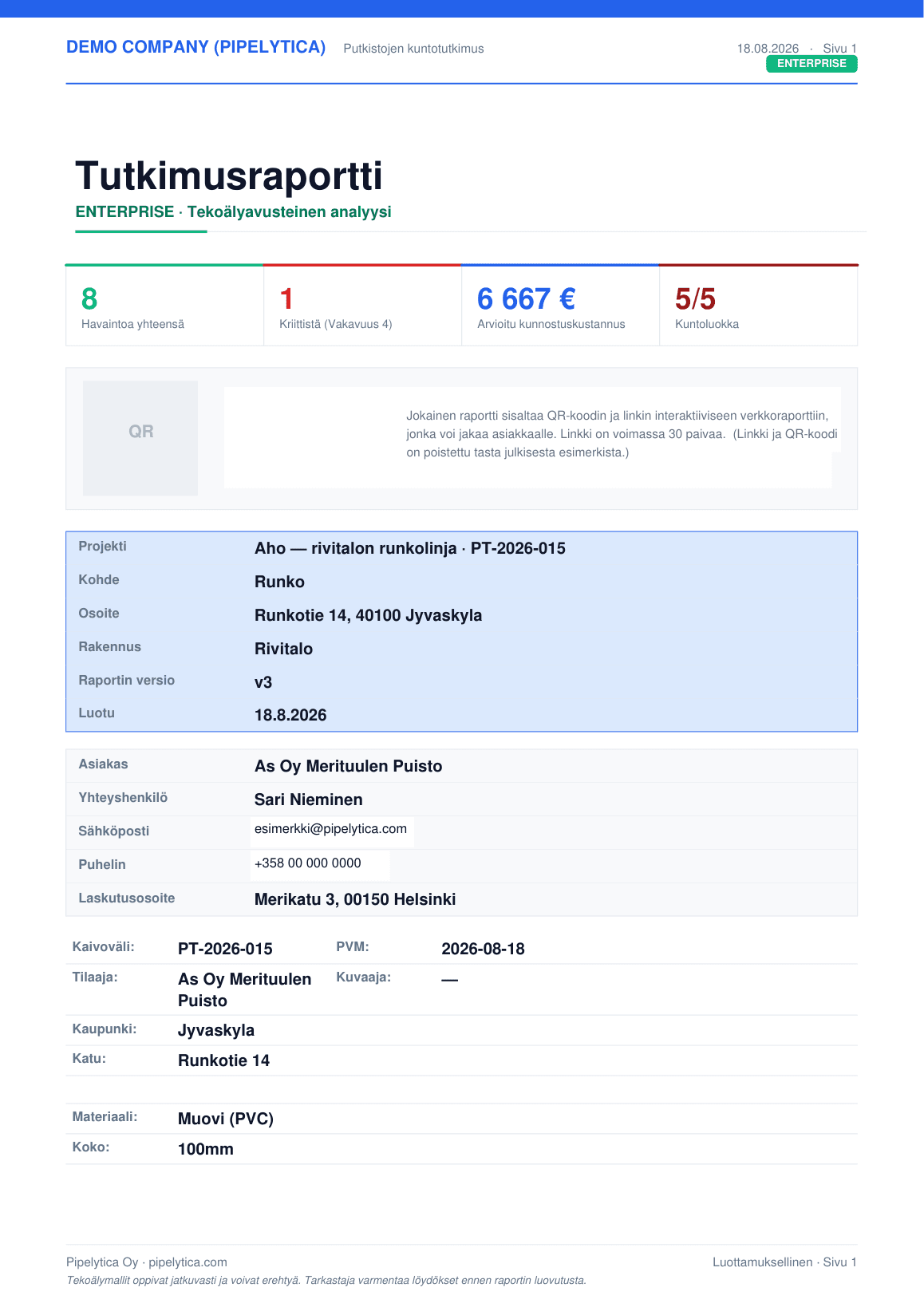
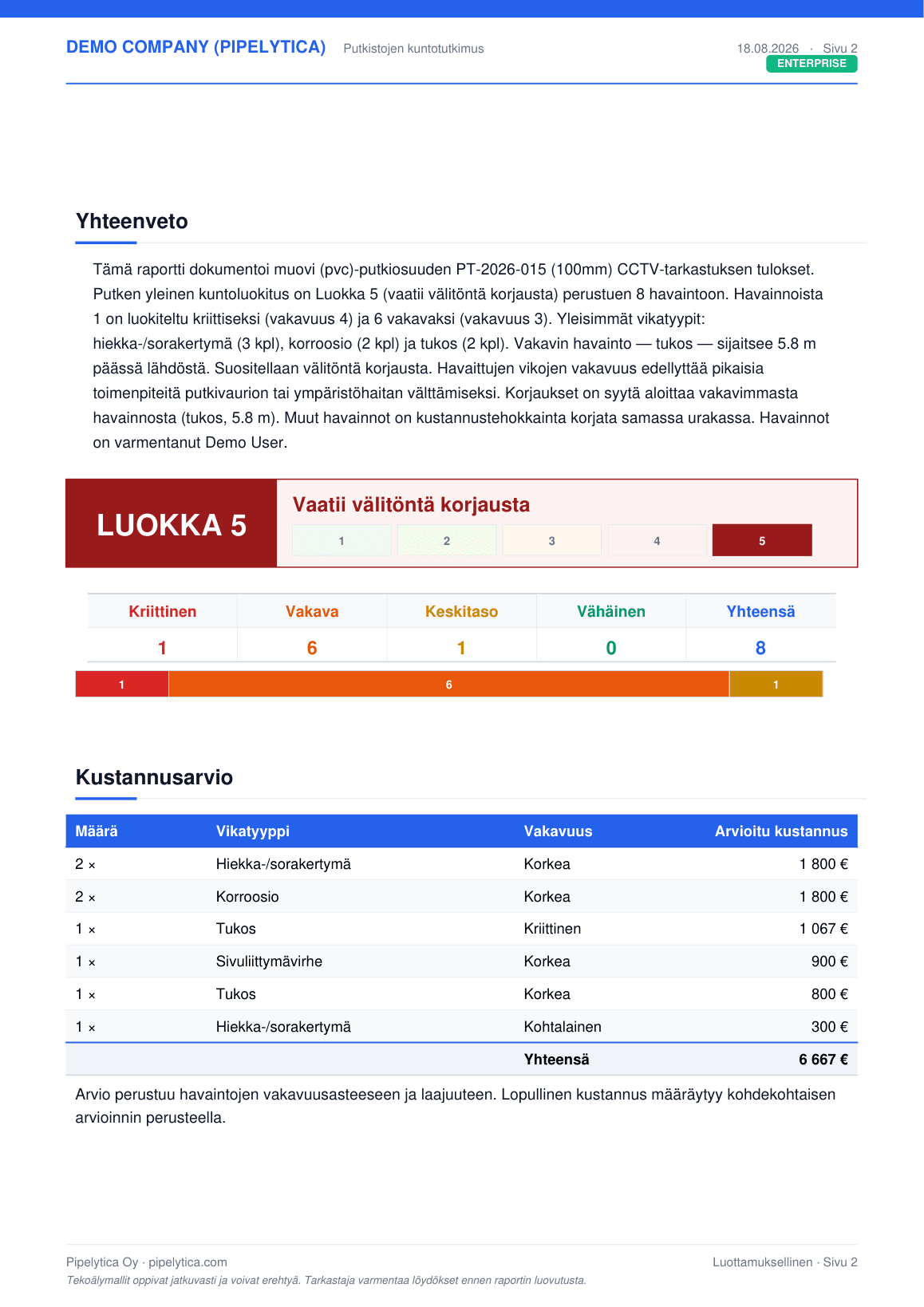
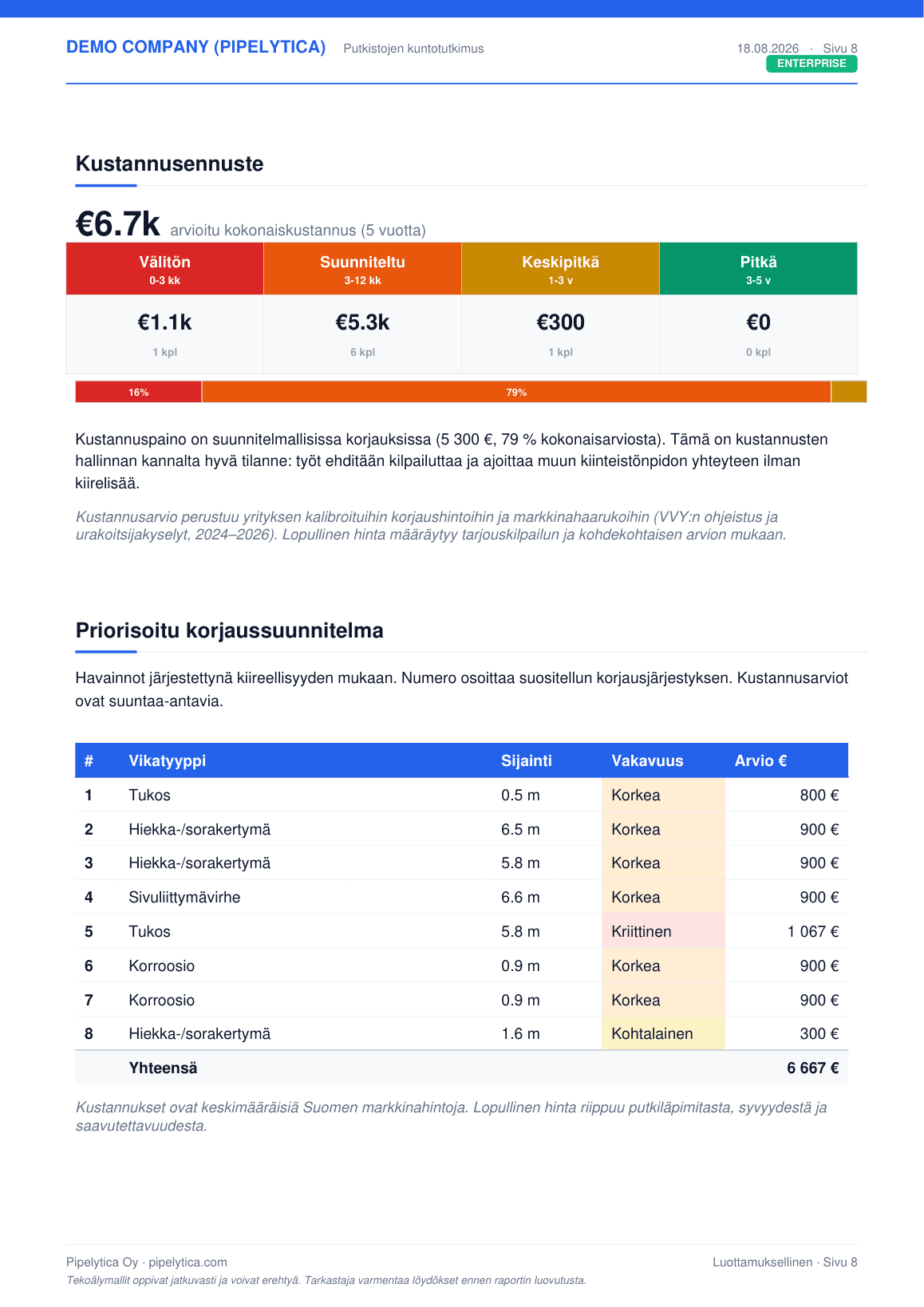
PDF report with condition class and cost estimate
The basic report is free. Premium adds a screenshot for each observation, risk scores and a five-year cost forecast; Enterprise also a 3D map and a prioritised repair plan.
Floor plans and the 3D pipe model
Pipe runs, manholes and findings per floor over the floor plans. In the 3D editor the same drains sit on the building template, and the architecture adviser checks falls and connections.
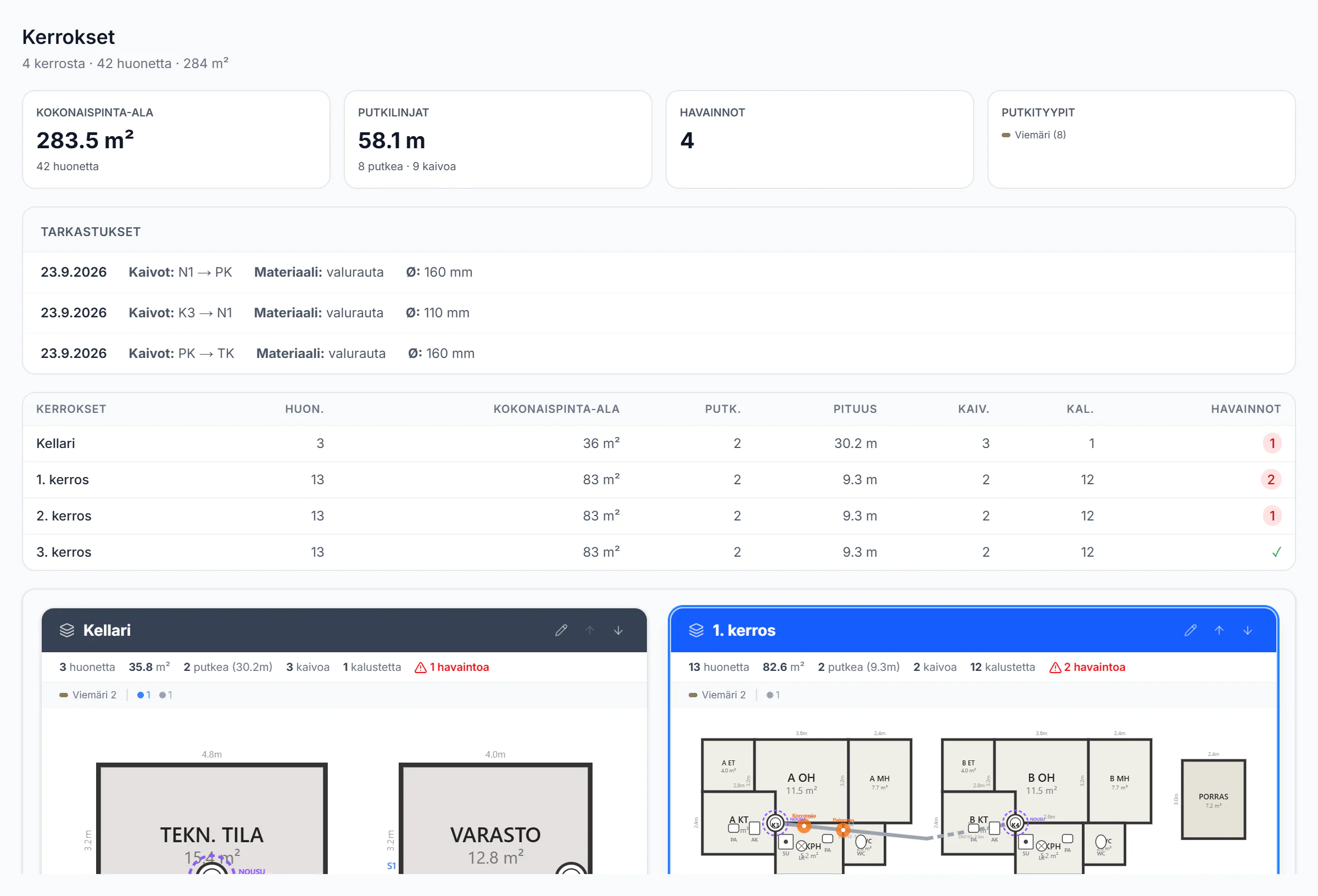
Screens from the service with example data: a fictional utility and network at real coordinates, a fictional housing company. Terrain, orthophoto and buildings are open data of the National Land Survey of Finland and SYKE (CC BY 4.0).
Who it is for
Survey contractor
The sewer or TV survey is done. The AI goes through the video, you confirm the observations, and the report goes to the customer from the same service.
Property manager
A clear condition report for the housing company’s board: condition class, repair scenarios and a five-year cost forecast for timing a pipe renovation.
Property company
Site condition comparable with your other sites, and repairs scheduled by severity.
From video to decision
Upload the video
Upload the CCTV inspection video to the project. The inspection form is prefilled from the text on the video.
The AI suggests
Observations with metre readings, severity grades and screenshots.
The inspector confirms
Each suggestion is approved, rejected or corrected. Only what is confirmed goes into the report.
Report and 3D model
A PDF report in three tiers and a 3D model of the pipes on a building template.
Decision
Repair scenarios, a five-year cost forecast and a tender package. Costs are estimates on editable unit rates.
Send to the customer
By email, a share link or the customer portal.
What Properties includes
Everything below is in use. Each item says who decides: where the AI suggests and where a person decides.
Projects and videos
- Projects
- Each site has its own project that holds its videos, observations, reports and files.
- Who decides: a person
- Video upload
- Upload CCTV inspection videos to the project in the browser and start the analysis.
- Who decides: runs on its own
- Inspection form prefill
- Pipe type, diameter and length are prefilled from the text on the video. The inspector checks and corrects them.
- Who decides: the AI suggests, a person confirms
- Files
- The project’s videos, reports, floor plans and other files in one place.
- Who decides: a person
Review
- Fast review
- Each suggestion is approved, rejected or corrected with one press, also with the 1, 2 and 3 keys.
- Who decides: the AI suggests, a person confirms
- Did the AI find everything?
- The service picks stretches of the video where the AI marked nothing. The inspector watches them and says whether there is a defect.
- Who decides: a person
- Review coverage
- See per video how much of the suggestions has been reviewed.
- Who decides: runs on its own
- Partial analysis notice
- If an analysis stops early, the service shows how much of the video was analysed and suggests a new run.
- Who decides: a person
Reports and delivery to the customer
- Three report tiers
- The basic report is free. The Premium report adds a screenshot for each observation, risk scores and a five-year cost forecast; the Enterprise report also a 3D map and a prioritised repair plan.
- Who decides: a person
- Share link
- A report can be shared with a link the recipient opens in the browser without an account.
- Who decides: a person
- Send by email
- The report goes to the customer by email straight from the service.
- Who decides: a person
- Report sending
- Several reports at once, each to its own customer. The sending history shows what went out and when.
- Who decides: a person
- Customer portal
- The project’s share links and what the customer sees, in one view.
- Who decides: a person
- Customer accounts
- A customer viewer signs in with their own account and sees only their own reports.
- Who decides: a person
Decisions and costs
- Cost estimate
- Repair costs are estimated from the observations with unit rates the administrator can edit. The figures are estimates, not quotes.
- Who decides: a person
- Actual costs refine the rates
- When the actual cost of a repair is recorded, it is turned into per-defect unit rates for the next estimates.
- Who decides: a person
- Four repair scenarios
- Monitor, urgent repairs only, phased repair and full renovation side by side with estimated costs.
- Who decides: a person
- Board summary and cash flow
- The decision view puts together a summary for the board and a five-year cost forecast.
- Who decides: a person
- Tender package
- Download a tender package to send to contractors. It is made from the finished report, and its costs are estimates.
- Who decides: a person
- Comparison with your own sites
- Compare a site’s condition with the company’s other sites.
- Who decides: runs on its own
Schedule and management
- Repair schedule by severity
- The repair deadline is suggested from the severity: grade 4 within a week, 3 within three months and 2 within a year.
- Who decides: a person
- Reminders
- A daily run collects grade-4 observations into a reminder and emails a digest of overdue repairs.
- Who decides: runs on its own
- Calendar
- The inspection schedule and upcoming reminders in a calendar view.
- Who decides: a person
- Analytics
- The company’s inspections, observations and reports over time.
- Who decides: runs on its own
- Customers
- A customer register that projects and reports are linked to.
- Who decides: a person
- Notifications
- Reminders and events in one place.
- Who decides: runs on its own
3D pipe editor
- Over 100 building templates
- Ready templates for terraced houses, apartment blocks, offices and other buildings, with a preview before use.
- Who decides: a person
- Floors
- Multi-storey buildings, vertical pipes and a view per floor.
- Who decides: a person
- Floor plan import
- Bring in the building’s floor plan as a DXF, PDF or image file as the base for the editor.
- Who decides: a person
- Pipe tools
- Eight pipe systems, bend points, routing along walls, and bends and branches added automatically.
- Who decides: a person
- Suggest
- The editor suggests pipes between fixtures and wells and learns which suggestions users keep.
- Who decides: the AI suggests, a person confirms
- Auto generation
- Creates a draft floor plan automatically, and you finish it.
- Who decides: the AI suggests, a person confirms
- Architecture adviser
- Over 20 rule-based checks such as sewer slope, inspection-well spacing and floor drains in wet rooms. 12 problem types can be fixed automatically.
- Who decides: the AI suggests, a person confirms
- Walkthrough
- Walk through the building in a first-person view with the WASD keys.
- Who decides: a person
- Condition colours
- Pipes are coloured by condition in the 3D view.
- Who decides: runs on its own
- Section view
- Horizontal and vertical cuts through the building.
- Who decides: a person
- Pipe details
- Select a pipe to see its material, diameter, condition and observations.
- Who decides: a person
- Screenshot markup
- Take a screenshot and add arrows and text for the report.
- Who decides: a person
Measured, not promised
The AI is measured on videos the model has never seen, against the inspector’s own marks. The figures are for building inspection videos.
- of observations name the right defect family
- 60%
- 95% confidence interval 51–69%
- of the defects the inspector marked are found
- 69%
- The inspector finds the rest.
- analysis time relative to video length
- 0.7 ×
- a 67-second video in 45 seconds on the production server
- videos the model had never seen
- 34
- Inspector marks as the reference
Measured on 34 videos, 9/2026. How it was measured
From detections to a finished report
The findings the inspector confirms go straight into the report you send the customer: risk scores, condition class, repair scenarios and a five-year cost forecast. Nothing is typed in twice.
30 pages · PDF
In use at a survey company
Imuu (Suomen Sorakauppa Oy) uses Pipelytica to analyse and report its pipe surveys.
Try it with your own video
Free 14-day trial. No credit card, no commitment.